Yes. Your coaching clients sign in, fill out their weekly check-in, and build an accountability team who can see their progress.
 for

November Report
Everything is built and running on the preview address, mh-lms-demo.vercel.app. Pick the day and marriagehealth.org goes live.
WebsiteReady to launchSwitches to marriagehealth.org when you say go.
Course portalDoneBoth courses on sale. 47 buyers moved over.
CheckoutDoneLive on your own Stripe since November 16.
VideosDone17 of 17 up, about 5.4 hours.
5.4 hours of teaching · 22 automations running · 74 pages · checkout on your own Stripe
What we need from you: pick launch day. Everything else below can happen in any order.
The four goals
Agreed October 9The four goals Michael wrote down on October 9. Three are done; the fourth happens the day you say go. The 30-day target was November 12. With your OK we moved launch to November 16, connected your Stripe that day, and held the domain switch so we could walk you through everything first.
New site live on marriagehealth.orgReady · at launchBuilt. Switches over the day you say go.+
Built and running on the preview address, mh-lms-demo.vercel.app. Your email records are already loaded into the new setup, so mail keeps flowing when we switch.
Anyone can buy any video seriesDoneWhat Now? $89. The Resilient Marriage $199.+
Both courses are published with prices and a Buy button: What Now? at $89 and The Resilient Marriage at $199.
Checkout through StripeDoneOn Marriage Health's own Stripe. Real-card test at launch.+
Running on Marriage Health's own Stripe account. Shopify dropped out on the October 15 call, so checkout is Stripe only. One real purchase, then a refund, proves it end to end.
All videos uploadedDone · 17 of 17About 5.4 hours. Only buyers can watch, except one free preview.+
Every lesson in both courses has its video, about 5.4 hours in all. The one free preview is the What Now? Course Preview.
What we need from you
Open any item for stepsFour things. Only the first stands between you and launch. The other three can happen in any order.
Say go on launch day NextUnlocks marriagehealth.org moving to the new site.WhoMichael+
- Michael picks the day and tells us.
- Tentmakers switches marriagehealth.org. The switch itself is quick. It can take a few hours to reach everyone.
- Email keeps flowing. Your email records are already loaded, and the rollback is written down if anything looks wrong.
Set your booking hoursUnlocks clients booking real calls in the portal.WhoJames and Teri+
Clients can already book calls in the portal. Sample hours are in place now.
- Sign in at mh-lms-demo.vercel.app/admin.
- Open Bookings, then Availability.
- Set your real weekly hours. Times are Eastern.
- Add any days off.
Check the wording in your automationsUnlocks every email going out in your words.WhoJames and Teri+
- Sign in at mh-lms-demo.vercel.app/admin and open Automations.
- Open each row and read the email it sends.
- Edit it there, or send us your changes.
Two things to fill in while you are there:
- The consent wording for the Questionnaire & Consent form. The form stays closed to the public until it is in.
- The coaching cost line in the auto-reply people get when they write in.
DRIFT monthly priceUnlocks the monthly portal subscription.WhoJames+
- James picks a monthly price and tells us.
- We switch on the subscription and its billing link. Until then, coaches add clients by hand.
What's done
Open any row for detailMichael's list from this morningLive · 16 of 16Every change you sent through the site at 5:16am is on the site now.+
- Church Hub: the Annual Pastoral Couples Retreat, "pastoral staff and designated church staff leaders", the live monthly coaching cohort, the Partner Manual, and "Your leaders stay yours".
- Church Hub pricing: the new budget paragraph without the card fee, and month-to-month after 12 months with 30 days' notice, billed by email invoice (card, ACH or check).
- Certification: $199 annual renewal per certified coach, and "the couples they coach".
- FAQ: coaching cost, coaching and therapy, the budget answer, and a new billing and renewal question.
- Home: Life Unplugged removed from "As featured on". Library: "Seasons: A Woman's 6-Week Path to Identity, Healing, and Purpose", and the Men's Journal wording.
WebsiteDoneTeri's October 19 list, giving, old links forwarded, clean on a phone.+
Pages that match how you actually work Teri, Oct 19
- Coaching page rewritten: the Jane App buttons are gone, every coaching button goes to the contact form, and the steps match your real intake.
- FAQ updated: admin@ as the contact, the Zoom answer without retreats, a Resilient Marriage question, certification at $499 and $699.
- Retreats and group workshops hidden across the site and from Google.
- "Books & Workbooks" in the menu, and the empty blog removed.
- Library: Roots Before Rings added, the Men's and Women's Journals side by side, Exposed beside its Study Guide.
- Podcast page opens with the studio photo.
- 15 of your Dropbox photos replace the repeated headshots.
Giving and the nonprofit, said right Michael, Oct 17
A Ways to Give page with a downloadable PDF and the giving@ address. The footer names Life Unplugged as the 501(c)(3) with the EIN on every page. The Church Hub card and page match the signed agreement word for word.
Nothing breaks when we switch Built for launch
Old LearnWorlds addresses for courses, sign-in, churches and coaching forward to the right new page. Every page has its own share image for texts and social posts. The preview address is hidden from Google so it never competes with marriagehealth.org.
Clean on a phone
No sideways scrolling, no zooming into forms on iPhone, bigger tap targets, menus that work by keyboard. Pricing and legal copy cleaned up, and the site header has one button: "Log in", or "My portal" once you are signed in.
Screenshot · home.png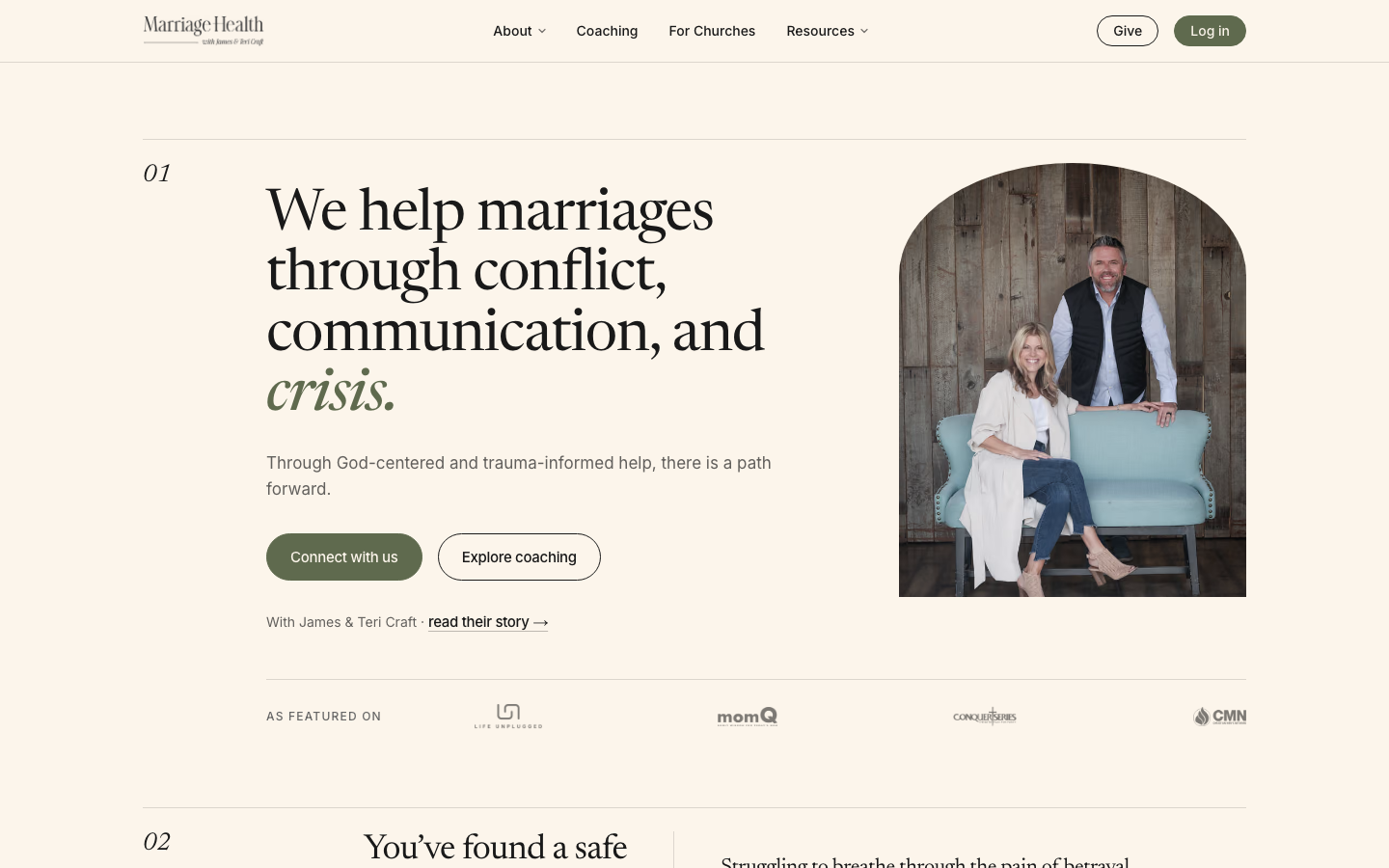
Screenshot · library.png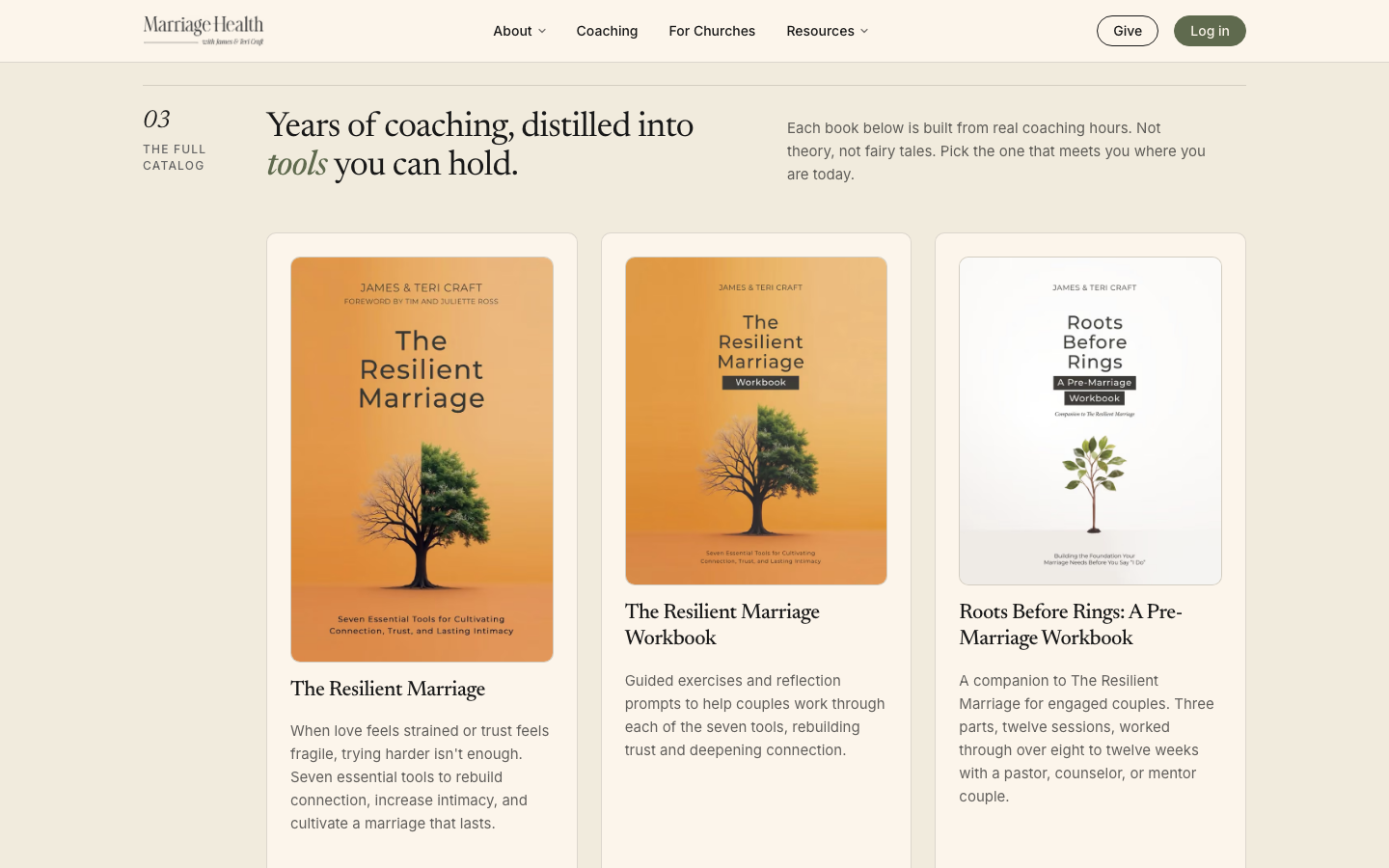
Course portalDoneStudents sign in and land right where they left off.+
Its own signed-in space
The portal sits apart from the public site. The dashboard opens on "Pick up where you left off".
Progress and a certificate
Lessons completed, weeks in a row, milestones, and a short "Lesson complete. Nice work." when a lesson ends. A finished course gives a certificate to view, print or download, and an email to go with it.
Profile photos From the Oct 30 call
Students add, change or remove their photo in Settings.
Screenshot · dashboard.png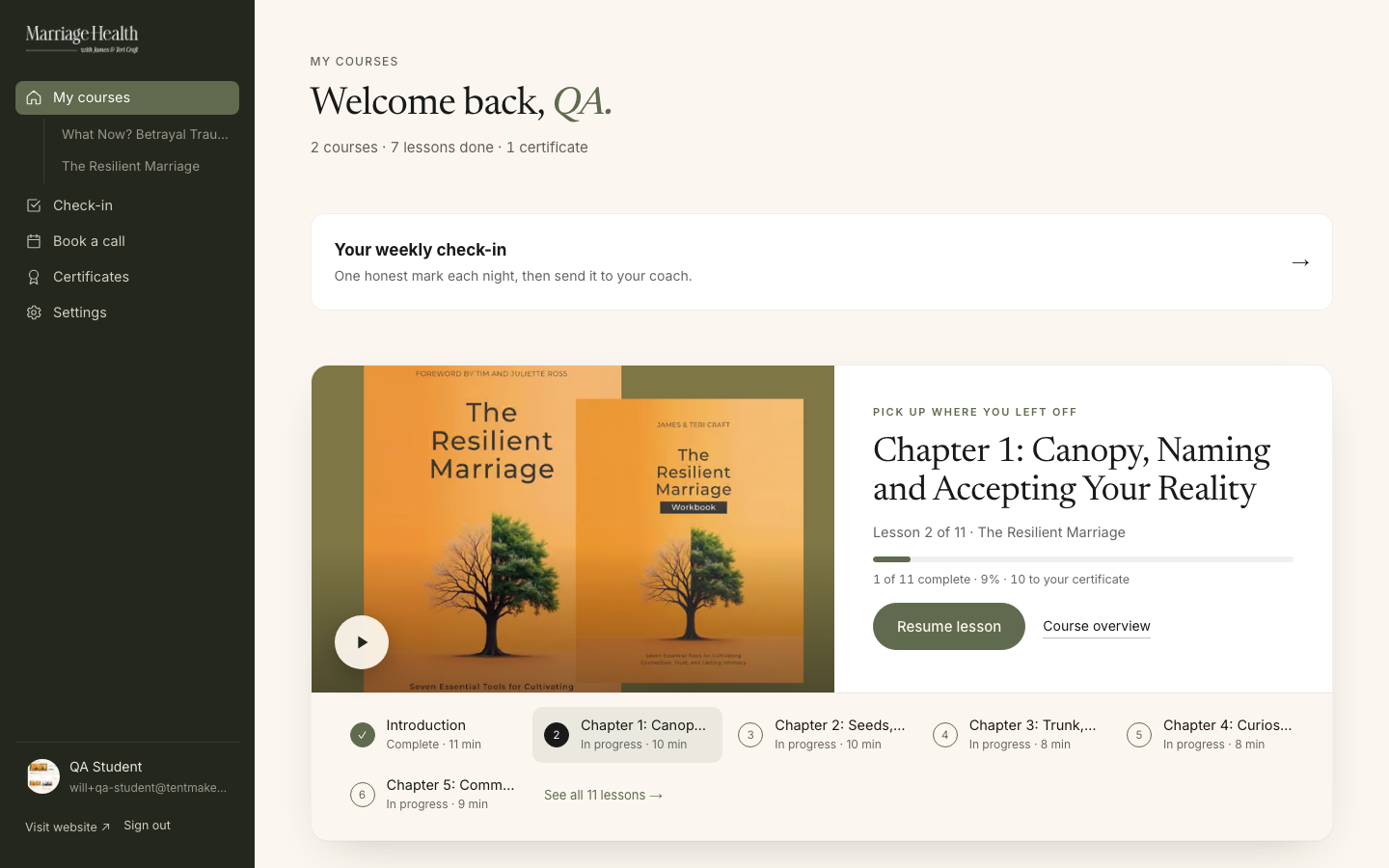
Screenshot · course.png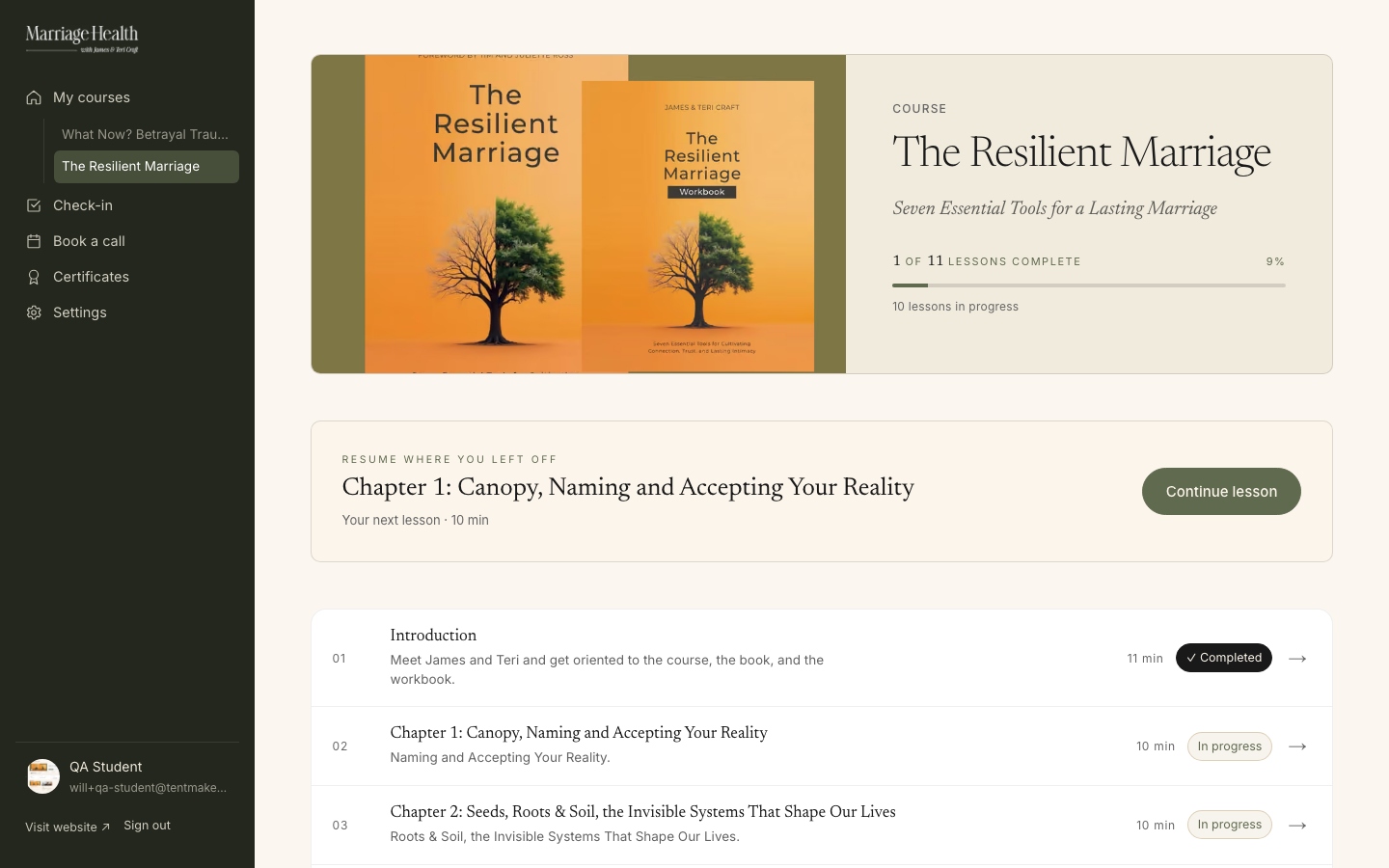
Screenshot · lesson.png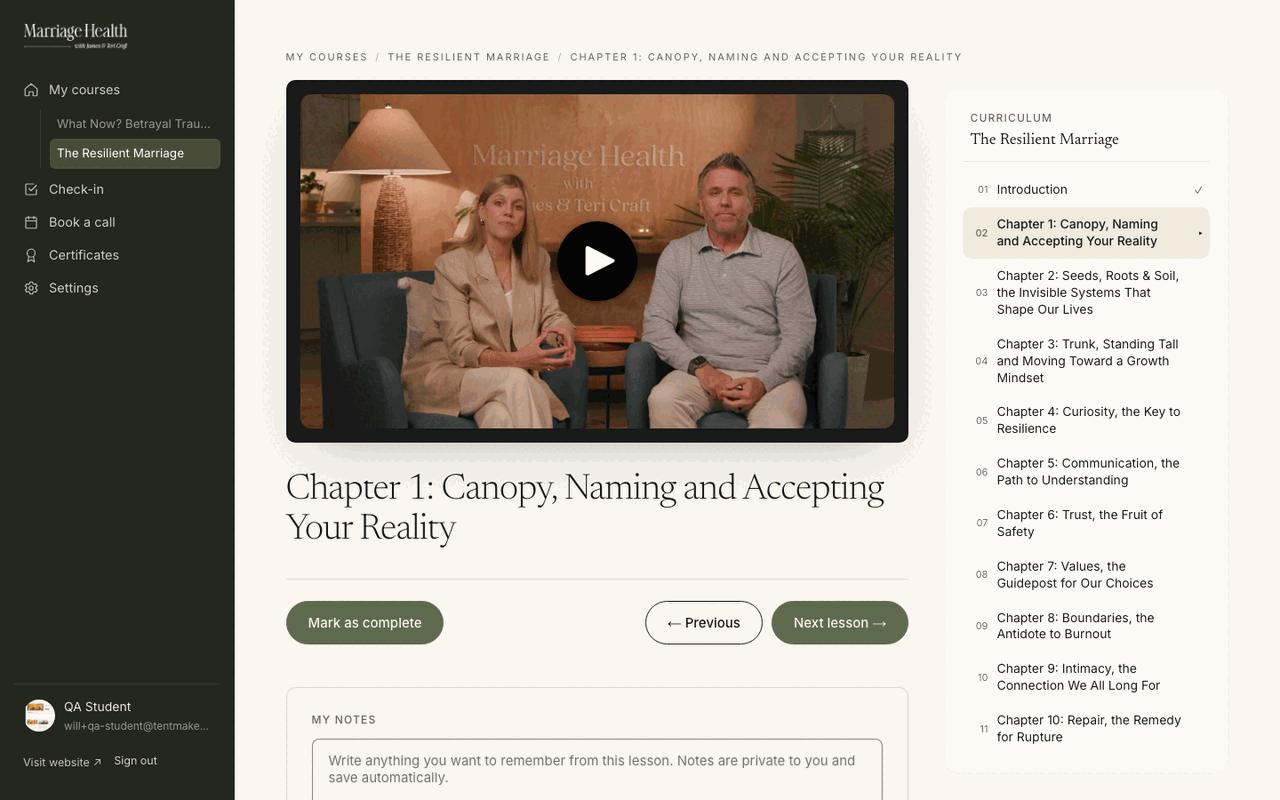
CheckoutDoneLive on your own Stripe since November 16. Money goes to Marriage Health.+
One straight path, from interest to the first lesson.
EnrollOr "Start the course"
→
Sign up or log inOne screen
→
Pay on StripeYour account
→
Inside the courseReady to watch
Money goes to Marriage Health
Since November 16 the site runs on your own live Stripe account. Our connection can take payments but can never move money out.
If something hiccups
- If Stripe is slow to report back, the course still opens. The dashboard checks with Stripe itself.
- A full refund turns course access off on its own. A partial refund leaves it on.
- Nobody can get a course with a fake card on the real site.
No real sale has gone through the new checkout yet. The first one is the test we run together.
Screenshot · checkout.png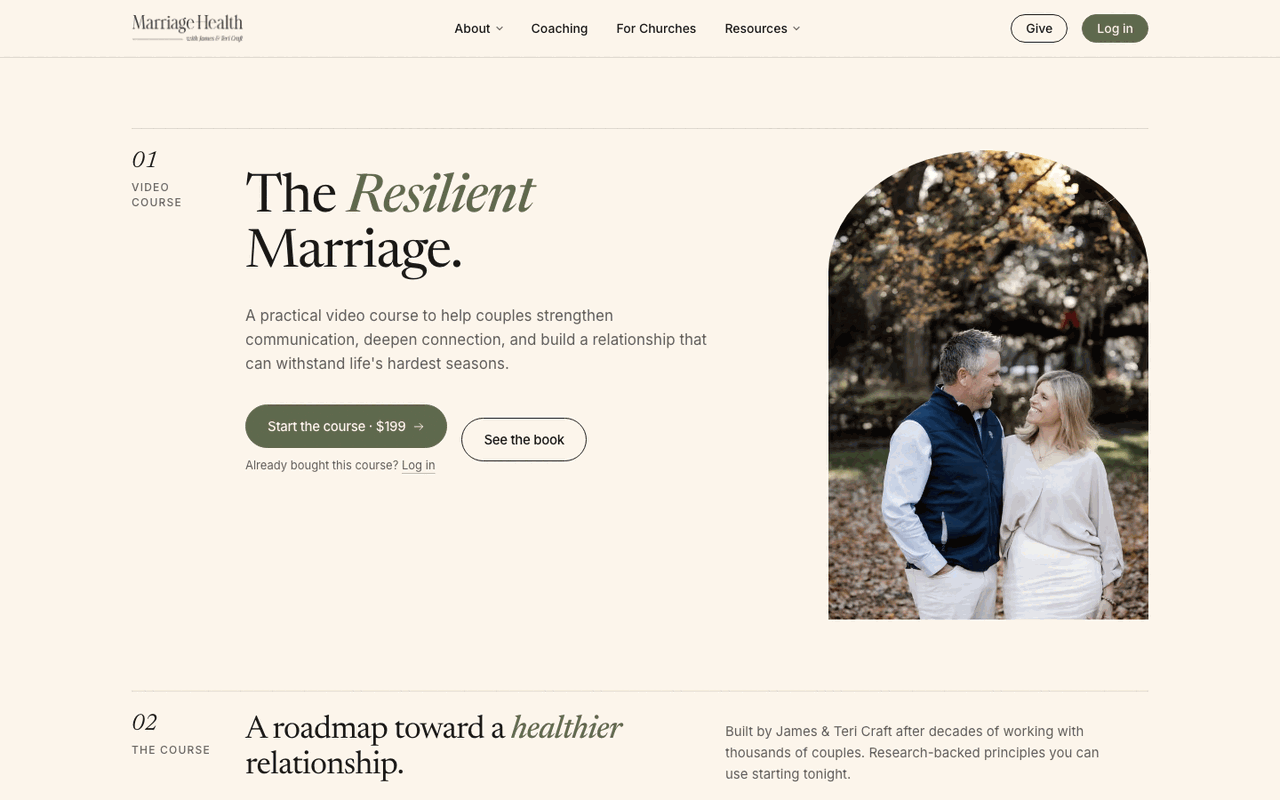
VideosDone · 17 of 175.4 hours across both courses. Locked to buyers, plus one free preview.+
5.4Hours, across 17 lessons
What Now?: 6 lessons, 201 minutes, pulled from LearnWorlds. Same outline, original titles: the Course Preview, then Parts 1 to 5. The preview stays a free sample, so anyone can watch before they buy.
The Resilient Marriage: 11 lessons, 123 minutes, from James's Drive, an intro and Chapters 1 to 10, using James's chapter titles.
Only buyers can watch
Every video is locked to buyers, except the free What Now? preview. We tested it: a buyer can play it, anyone else is refused.
Your team can add the next one
Upload a file, or paste a Google Drive or Dropbox link, right inside the lesson editor.
Existing customersDone · 47 movedEvery LearnWorlds buyer has an account with their course. Nobody pays twice.+
Every one of them already has an account with their course attached. 46 bought What Now? and 1 bought The Resilient Marriage. Nobody pays twice.
No email has gone to them yet. The welcome email waits for your approval of the wording, and goes out after the switch.
A clear way in
The login and sign-up pages walk a past buyer straight to "set a password", and password reset links still work when a work email filter opens them first.
Catching anyone who buys before the switch At launch
Once LearnWorlds checkout is off, we export its buyer list again and bring across anyone new, so nobody is missed.
Coaching toolsBuilt · 3 need youDRIFT check-in, crisis alerts, coach view, partners. Booking, consent and pricing are built.+
James, to your question
The DRIFT weekly check-in James, Nov 11
Recovery and Spouse versions, with your exact questions and wording from the PDFs. It saves as they type, and they press "Send to my coach" when they are done.
Crisis alerts go out right away James, Nov 11
If a client marks Tapped Out or The Fall, they see 988 on their screen right away, and their coach gets an urgent alert email.
The coach's view James, Nov 11
Who sent their check-in this week, a 7-day stage strip for each person, alerts, shared documents per client and private notes. The Coaching clients page has Check-ins, Accountability partners and Reports tabs. Reports show check-in rate, who needs you, streaks, stage mix and Tapped Out nights.
Two buttons show you exactly what a client and a partner see, using a sample client, so you never open a real person's account to check.
Accountability partners
A client invites a partner and chooses exactly what that partner sees, alerts included. Partners can leave a weekly note. We built this on your PDFs, which already ask for a group partner.
Questionnaire & Consent, replacing the Jotform Built · waiting on wording
Typed signature, date, consent box, a crisis check and a team alert. It stays closed to the public until Teri's consent wording is saved. (Asked for by Teri, Oct 19.)
Booking, inside the portal Built · waiting on hours
Pick a coach, a kind of call, a day, then a time in your own time zone. The confirmation comes with Google Calendar and a calendar file. On the admin side: upcoming calls, weekly hours, days off, session types and share links. Keep Calendly running too until the first real call books here. (Asked for by Michael, Oct 27.)
A monthly subscription for the portal Built · waiting on price
With a billing link for subscribers. The price is yours to set, James. (James, Nov 11.)
Screenshot · portal-checkin.png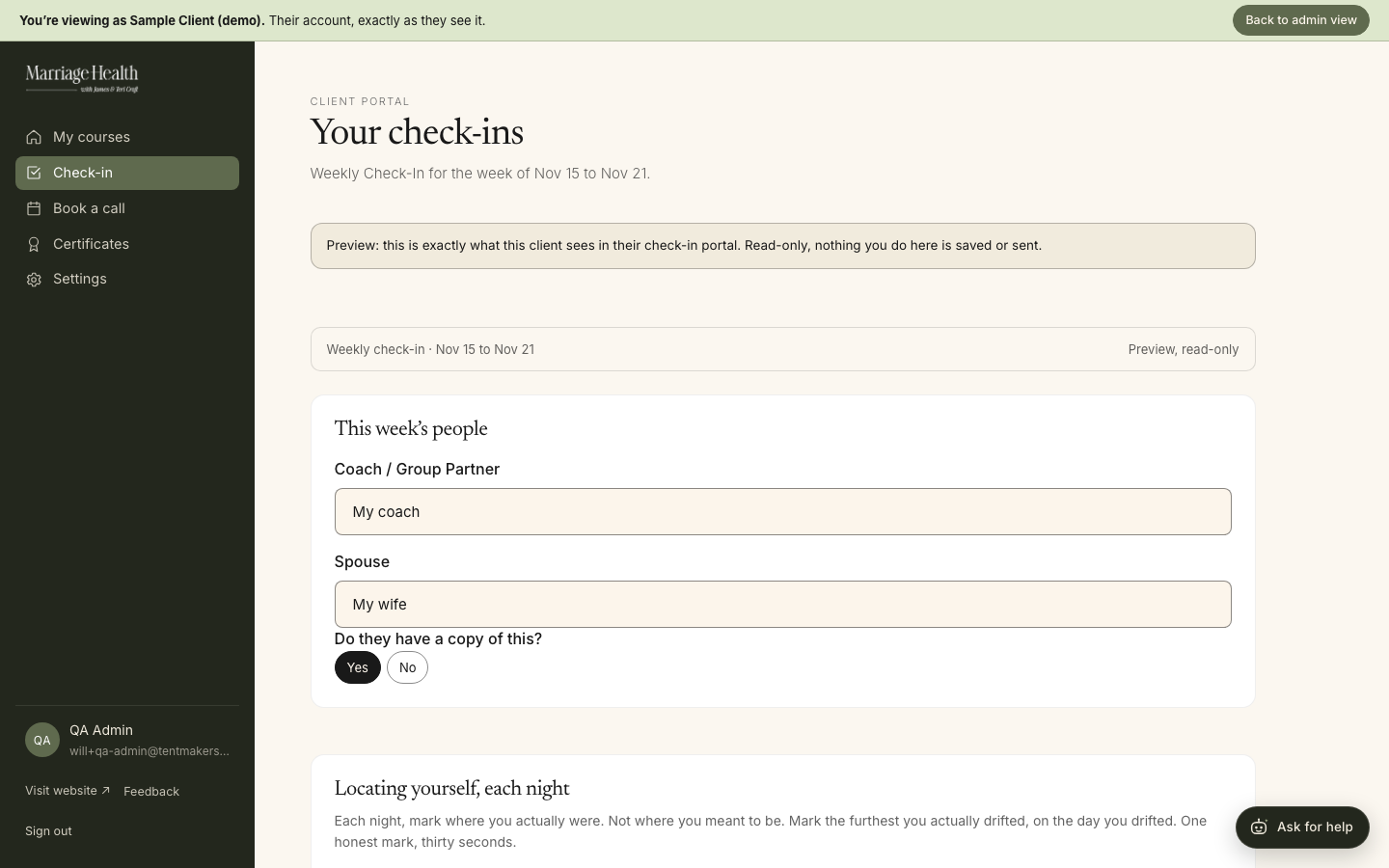
Screenshot · admin-clients.png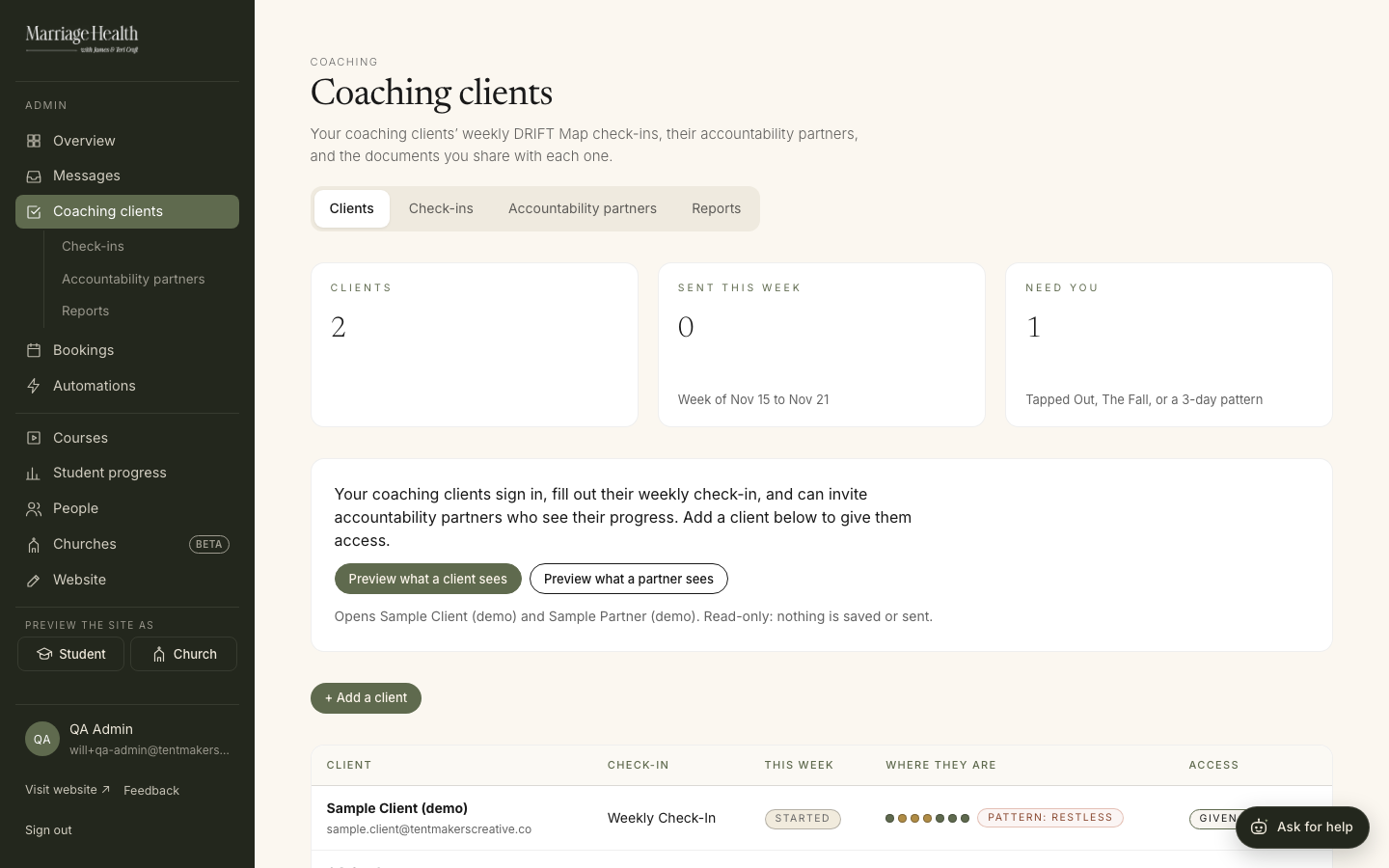
More screens
Screenshot · partners.png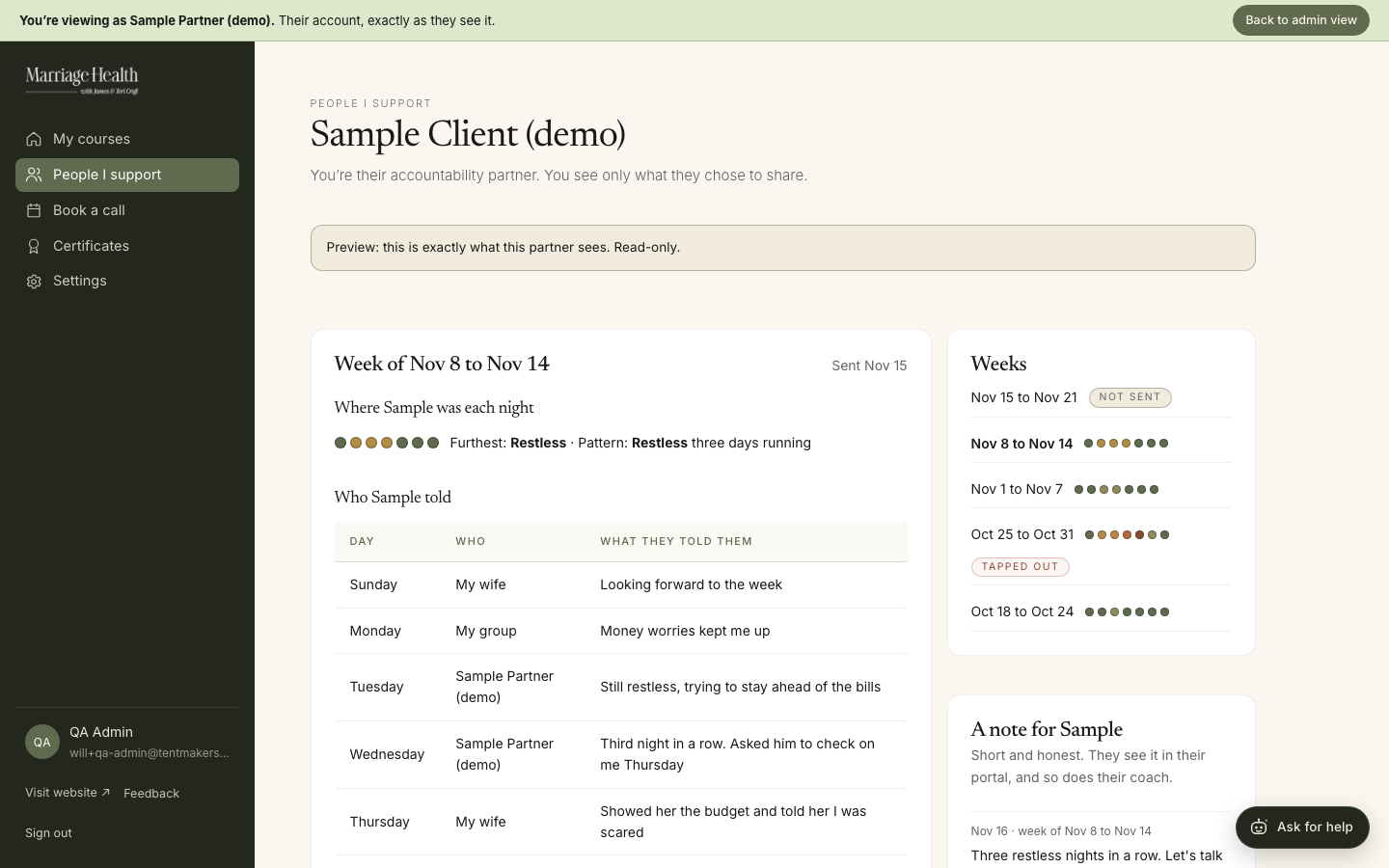
Screenshot · booking.png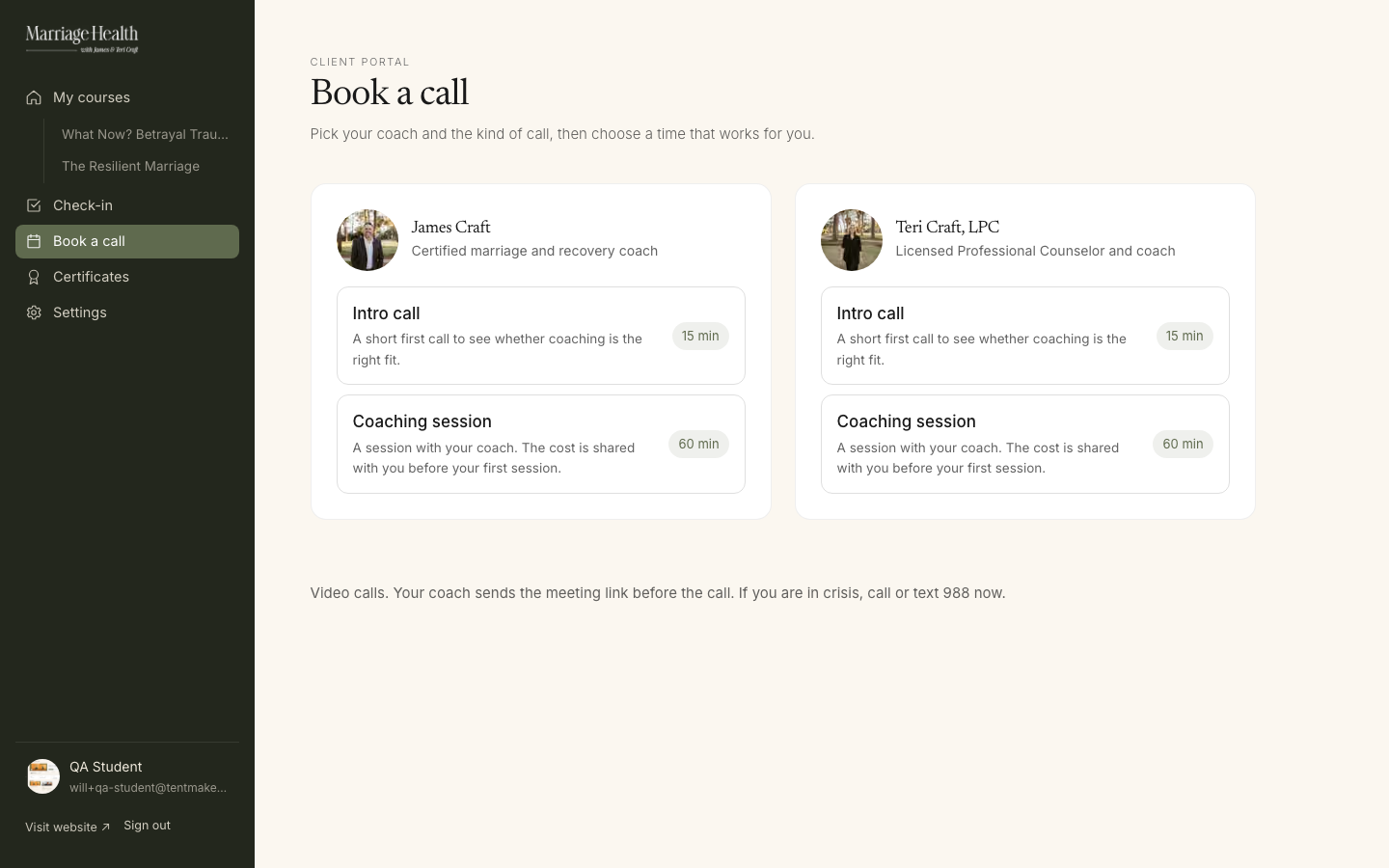
Automations & emailLive · 22 built inA crisis gets seen first. Every site email is on, under the Marriage Health name.+
Crisis first Michael, Oct 17
A DRIFT check-in marked Tapped Out or The Fall alerts the coach. The questionnaire runs its own crisis check and alerts the team. And the reply to anyone who writes in leads with 988, then promises an answer within one business day.
Every email the site sends is on Live
Receipts, password links, welcome, certificate, booking and check-in alerts, all under the "Marriage Health" name. Notifications go to admin@marriagehealth.org, never to a personal inbox, and replies come back to admin@ too.
A map of everything that happens Michael, Oct 26
The Automations page shows every form and portal action and exactly what follows each one, with a preview and a "send me a test" button. There are 22 built in.
Build your own Ready for you
Pick a form or portal action, choose who gets emailed, and chain follow-ups with waits in between. 17 starting points to choose from. You have not built one yet, and that is the next thing worth doing together.
Mailing list sign-ups On after launch
Every opt-in box on the site is wired to join one list. It turns on once the email-sending account moves to you after launch. (Teri, Oct 19.)
Screenshot · automations-map.png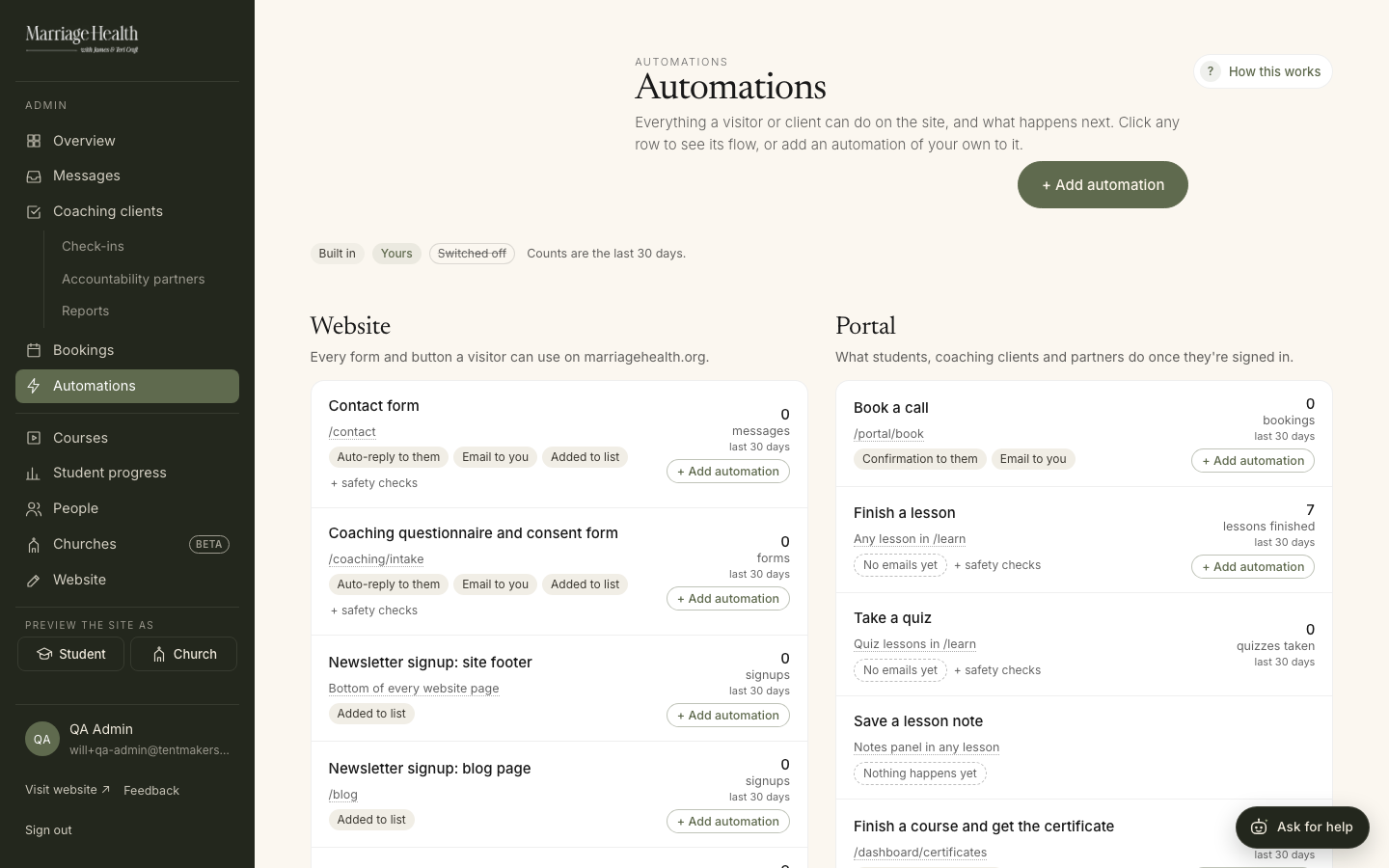
Running it yourselvesDonePlain English, ten menu items, and a guide on every screen.+
The day to day
- Messages: every message in one inbox, urgent first. Mark each one handled.
- Edit your site: the announcement bar, the home headline and the full FAQ, without a developer.
- Smart edit: type a change in plain English, see before and after, publish when you confirm.
- Launch checklist that ticks itself as videos, prices, Stripe and the rest are done.
- Safe course delete: it refuses while anyone is enrolled, so no buyer loses access by accident.
- "What is this page?" guide on every admin screen.
View as
See the portal exactly as a student, a specific person, a church or a coaching client sees it. Useful when someone calls and says "I can't find it".
Ask for help
A help assistant for your admins. It answers how the site works and where to click. If crisis words appear it shows 988 and 911. It never tries to counsel; that stays with you. Every question you ask is saved, so we can see where its answers fall short and improve them.
The Make a change button Temporary · Teri, Oct 20
On every website page, your team can flag an edit and it lands with us in Site feedback. It comes down after launch.
Built to be trusted
- Course access comes only from a verified login email, so nobody can claim a course by editing a profile.
- Limits on password resets and partner invites.
- Coaching documents and partner access close when a client's access is turned off.
- Our tests can never email your clients.
Screenshot · admin-overview.png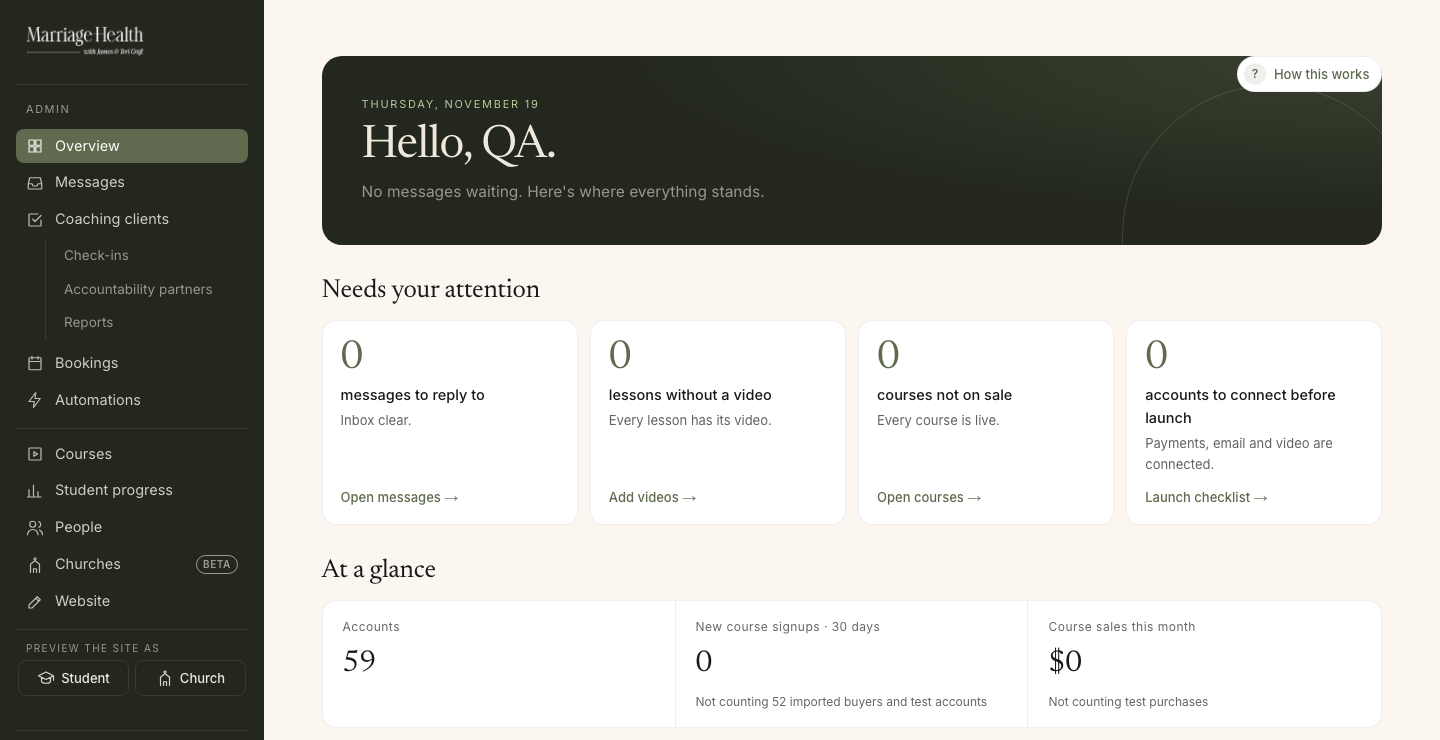
Screenshot · help-assistant.png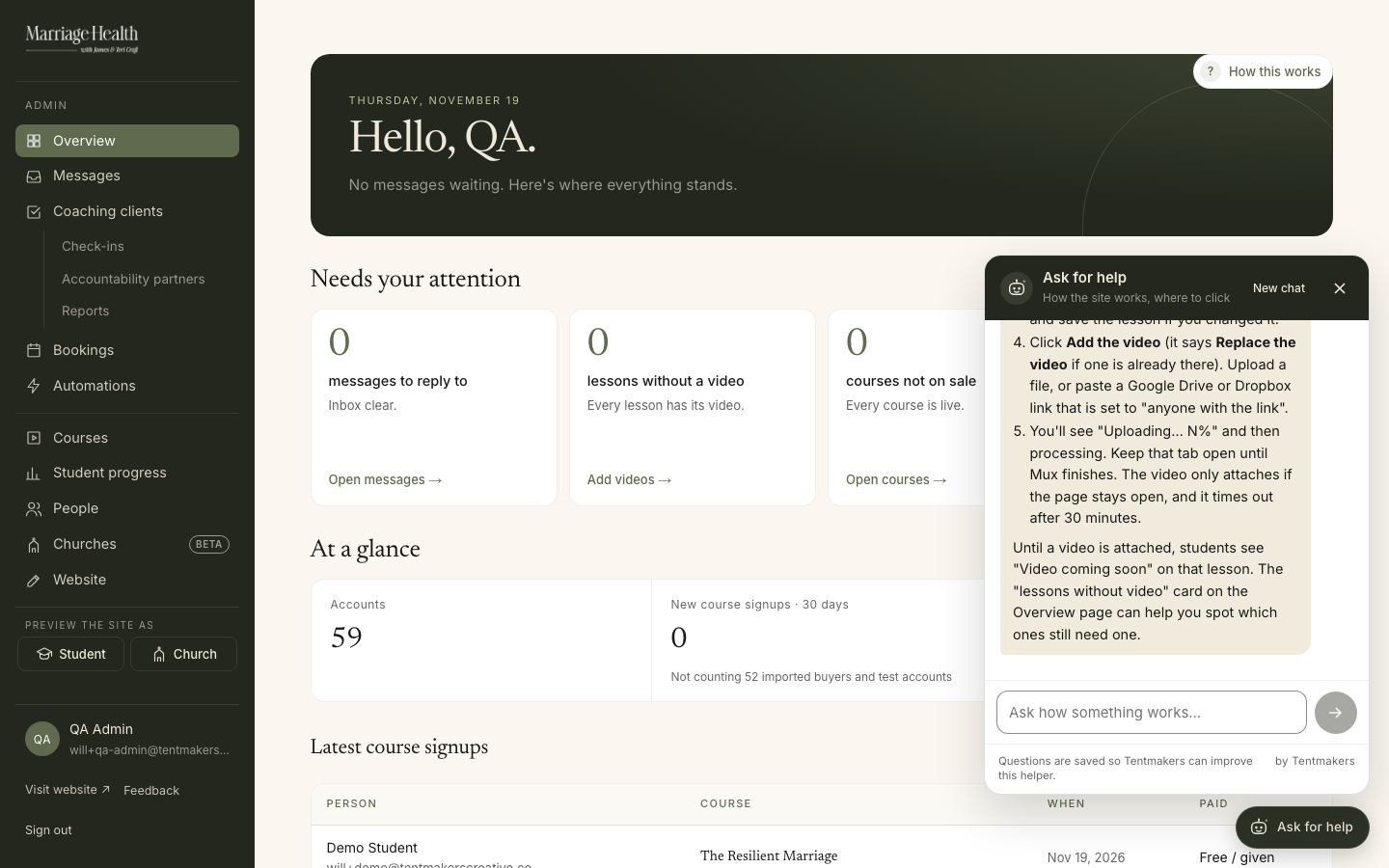
By the numbersAt a glance47 buyers moved, 2 courses on sale, 5.4 hours of video, 22 automations running.+
47
LearnWorlds buyers moved over46 What Now?, 1 Resilient Marriage2
Courses on sale$89 and $1995.4
Hours of videoWhat Now? 201 min, Resilient Marriage 123 min22
Built-in automationsPlus 17 starting points for your own74
Pages, all toldSite, portal and admin. Up from 42 on October 1028
Admin screensFor your team740
Automated checksAll passing on November 1983
Updates shippedOctober 20 to November 18Counted from the live database and the code, November 18 and 19.
Your software
What runs Marriage HealthYours
Domain, email, payments and accounting. Already in place.
We run for you
Hosting, database, the help assistant and the website code. Included. Video and email sending move to your accounts after launch.
Cancel after launch
Eight old tools the new site replaces.
See details
Yours
Domain: marriagehealth.org, at GoDaddy
Email: Google Workspace
Payments: Stripe
Accounting: QuickBooks
We run for you
IncludedWebsite hosting: Vercel
Database and logins: Supabase
Help assistant: Claude
Website code: GitHub
These stay on our accounts and we keep them running.
Moving to you after launch: video streaming (Mux) and email sending (Resend). We set them up in Marriage Health's name and move everything over.
Cancel after launch
The new site replaces themLearnWorlds, Jotform, Zapier, Calendly, Mailgun, Asana, Mailchimp, SimpleTexting.
Nonprofit savings
Google Workspace
You're approved for the nonprofit price. Switch it on right after launch.
Why it waits for launch: Google's review checks that your website loads. Today marriagehealth.org doesn't show the new site yet.
- James signs in to Google for Nonprofits with the Marriage Health admin account.
- Find Google Workspace for Nonprofits and click Get started.
- Enter the domain marriagehealth.org.
- Pick the plan: the free nonprofit edition, or discounted Business Standard or Plus.
- Click Activate. Google reviews it, which takes a few days, and emails next steps.
- When Google's approval email arrives, forward it to us. We do the billing switch with you on a short call.
Steps from Google's help pages: activate Workspace for Nonprofits · switch to the nonprofit edition.
QuickBooks
Nonprofit pricing through TechSoup is in progress.
Launch day
What happens- You say goWe agree the day.
- We switch marriagehealth.orgEmail keeps flowing.
- One real purchaseThen a refund.
- Phone testsThe key paths, on a phone.
- LearnWorlds checkout offThen the welcome email.
Launch detail and our list
- You say go. We agree the day.
- We switch marriagehealth.org. Your email keeps flowing. The records are already in place.
- One real purchase, then a refund, so we know money and access both work.
- Phone tests: crisis form, old LearnWorlds links, password reset, DRIFT check-in, partner invite. Someone at admin@ confirms the crisis alert arrives.
- LearnWorlds checkout off. We export its buyers again, bring across anyone new, then the welcome email goes out once Teri approves it.
Tentmakers owns
- Run the domain switchWhen you say go.
- One real purchase, then a refundWith you watching.
- Crisis test on the live contact formSomeone at admin@ confirms the alert arrives.
- Turn off LearnWorlds checkoutThen export its buyers again and bring across anyone new.
- Send the welcome emailOnce Teri approves it.
- Mailchimp or the built-in email for your newsletterOur recommendation, for you to decide.
- Take down the Make a change buttonAfter launch.
Thank you for trusting us with this.
Will and the Tentmakers team